How to connect your HR system, benefits providers and payroll
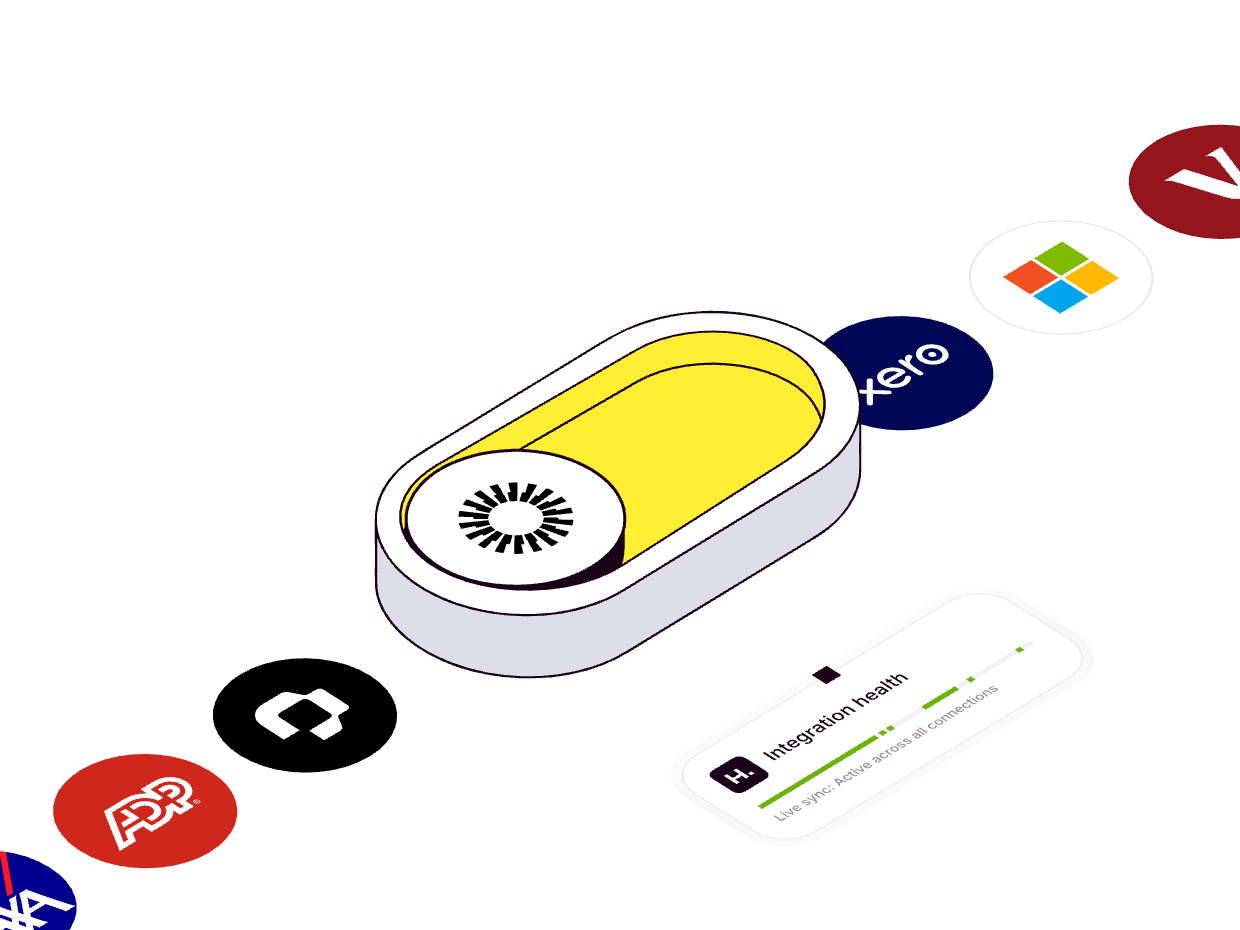

Connecting your HR system, benefits providers and payroll means you update someone's details once in your HR system and every other system gets the change from there. A new joiner's start date, a leaver's last day or a promotion reaches them automatically.
In a lot of companies, the HR system isn't connected to benefits providers or payroll. Changes leave it as a spreadsheet that someone exports, emails to each provider and checks against payroll by hand. Many insurers, especially smaller and regional ones, still take changes as a file rather than through a direct connection. And 48% of UK payroll and finance teams say human error in manual processing is the most common cause of payroll mistakes.
Connecting your HR system is usually the easy part. Things go wrong when each change has to get to your providers and payroll.
We cover what data moves between the three, how it reaches providers and payroll, how the main HR systems connect and the steps to set it up.
What data moves between your HR system, benefits providers and payroll?
Employee details move from your HR system into your benefits platform. Benefit choices and changes go from there to each provider. Deductions and benefit values go to payroll before every pay run.
Here's where each type of data starts and where it needs to go:
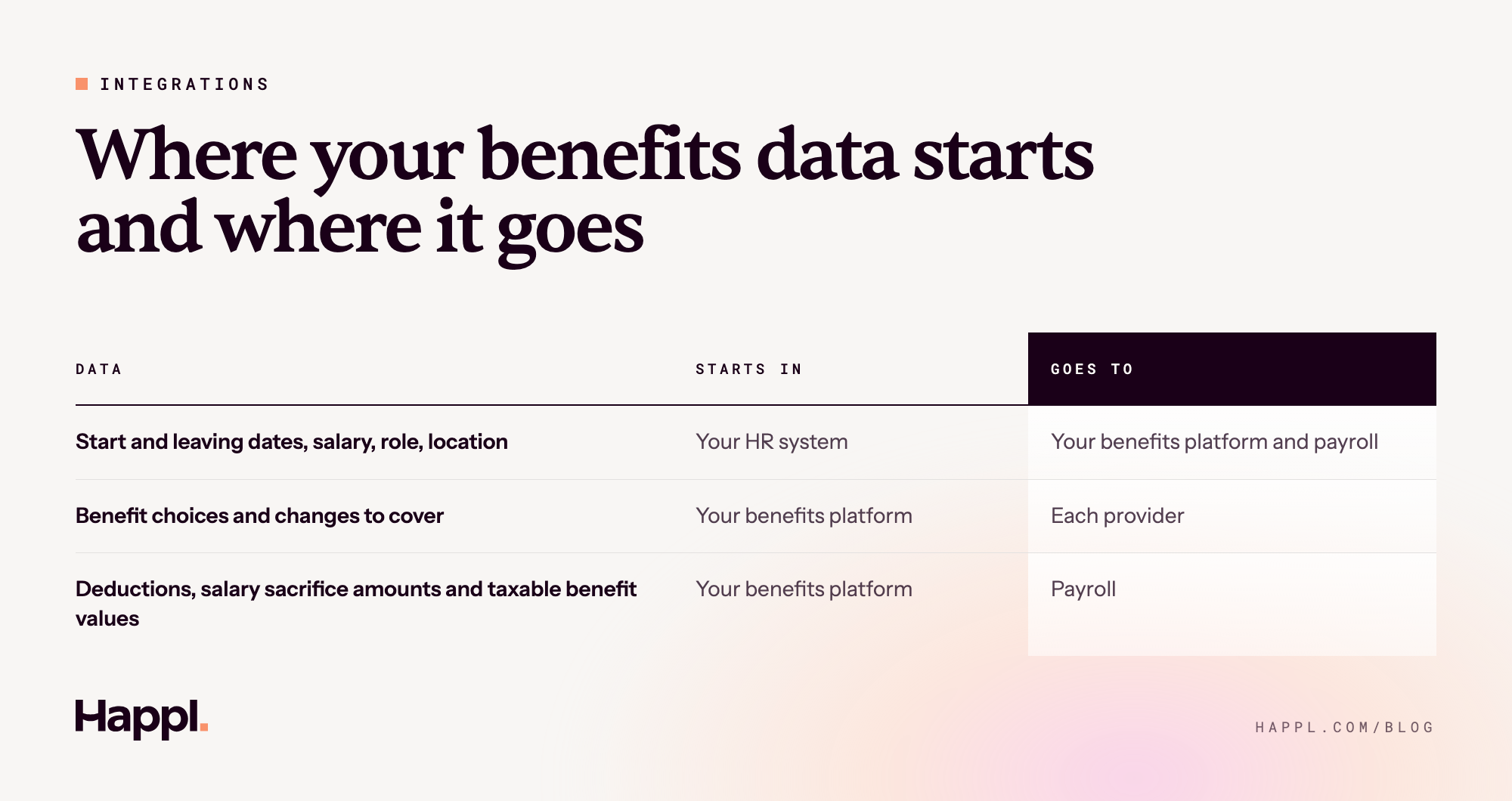
Every change has to make it across all three links. Take a promotion that moves someone onto family cover. If the change doesn't reach the insurer and payroll, the insurer covers the old level and payroll takes the old deduction. Nobody notices until the employee needs to claim or reads their payslip.
When data is wrong, fix it where it starts. A wrong salary or start date gets fixed in the HR system and not in the benefits platform. Otherwise the two systems disagree and nobody knows which one is right.
Happl connects to 100+ HR and payroll systems, so people data is only entered once. Every change to someone's cover is logged with its before and after values, who made it and when. With the data connected, a lot of benefits admin can run without you. Accurate data also makes it easier to get more people using their benefits.
How does data get to benefit providers?
Data reaches a benefit provider through a direct connection where the provider offers one, and as a regular report of changes where it doesn't.
Many insurers still work from files, so you'll usually deal with both routes at once. Whatever the route, each provider needs to hear four things.
- Who joined, with their start date, so cover begins on the right day.
- Who left, with their last day. A leaver whose last day never reaches the insurer stays on the policy, and on the invoice, for months.
- Changes to cover, such as adding a partner or children, or moving to a different level.
- The provider's reference, so the provider and your team are talking about the same record.
A provider that can't connect should get a report built from the same record, not a spreadsheet rebuilt by hand. That keeps the change in one place and gives you something to check the invoice against.
Happl's provider reports carry each joiner's start date and each leaver's last day, so each provider has the dates cover should start and end. And because every change is logged with before and after values, who and when, you can show a provider exactly what changed and when it was sent.
How does benefits data get to payroll?
Payroll needs each employee's benefit deductions, salary sacrifice amounts and taxable benefit values before every pay run, along with what has changed since the last one.
That's three figures for each person:
- Deductions for benefits paid from net pay.
- Salary sacrifice amounts, which lower gross pay.
- Taxable benefit values, for benefits that are taxed.
The last one is about to matter more. From April 2027, UK tax on company cars and employer-provided medical benefits will be collected through payroll every month. With flexible benefits, each choice can be taxed differently.
Each country or entity usually has its own payroll, with its own cut-off and format. So one change might need to reach payroll in every country you run benefits in.
The checks done by hand between benefits and payroll are where mistakes come in. Take a salary sacrifice change made after the payroll cut-off. If payroll only gets this month's figures and not what changed, someone gets one wrong payslip and a correction the month after.
Happl's payroll report shows the date of each change and the provider's reference ID, so payroll can see what changed and when, not only the new total.
How do benefits platforms connect to Workday, HiBob and BambooHR?
Benefits platforms can connect to Workday, HiBob and BambooHR, usually through the HR system's API or a scheduled data export. What differs is which data a platform reads, how often and whether the HR system lists it as a partner.
Check the listing before you rely on a platform's own claim. A partner listing in the HR system's marketplace is the quickest way to see whether the connection exists.
Happl integrates with Workday, HiBob, BambooHR and 100+ other HR and payroll systems.
How do you connect your HR system, benefits providers and payroll?
Make your HR system the one place changes are entered and check it holds what your benefits need. Happl then connects your HR system and payroll and sets up what each provider receives.
1. Make your HR system the one place changes are entered
Decide that joiners, leavers, salary and role changes are entered in your HR system and nowhere else. Tell managers and HR admins that a change made in an email or a spreadsheet doesn't count. Happl takes people data from your HR system, so changes are entered there once.
2. Check the fields your benefits depend on are filled in
Look at what each benefit needs, such as start date, salary, contract type and probation end date. Make sure everything is up to date. If someone's probation end date is missing, the benefits platform can't tell when they become eligible, so their benefits don't appear.
3. Let Happl connect your systems
Happl connects to your HR system and payroll. It syncs with your HR system at least twice a day so a new joiner has cover from day one. It also sets up what each provider receives, including each joiner's start date and each leaver's last day. All you need to tell us is each payroll's cut-off in every country or entity.
4. Test with real joiners, leavers and changes
Run one pay cycle alongside your current process, using real joiners, leavers and cover changes. Compare what each provider and payroll received with what you'd have sent by hand. In Happl, the audit trail shows each test change with its before and after values, who made it and when, so you can follow one joiner from start to finish.
What should you ask a benefits platform about integrations?
Ask what it reads from your HR system and how often, what each provider and payroll receives and what happens when a transfer fails. A platform's list of integrations won't tell you any of this.
Five questions show how a platform will work with your systems.
- What does it read, and how often? Ask for the fields and the schedule, so you know whether a joiner's cover can start on day one.
- What does each provider receive? Ask what's in each report or connection and how you'd know it arrived.
- What does payroll get, and by when? Ask whether it shows what changed since the last run, and the cut-off for each country.
- Does anything go back into our HR system? Ask what, if anything, writes back and which system stays the record.
- Who's told when a transfer fails? Ask how a failure shows up and who sees it first.
Happl keeps benefits data up to date in one place, connected to 100+ HR and payroll systems. Its provider and payroll reports carry the dates of each change, and the audit trail records every change with before and after values, who and when.
FAQs
What is HRIS integration?
HRIS integration connects your HR system (HRIS stands for human resources information system) to another system so employee data moves between them automatically. It's also called HR system integration or an integrated HR system. For benefits, it means your benefits platform reads joiners, leavers and changes from the HR system.
Which benefits platforms integrate with HiBob?
Happl integrates natively with HiBob. HiBob also lists the other platforms it connects to.
Which benefits platforms integrate with Workday?
Happl integrates with Workday and 100+ other HR and payroll systems. Other benefits platforms list their Workday integrations on the Workday Marketplace. Check a platform is listed there before you buy. Then ask what it reads from Workday and how often.
Does benefits data flow back into the HR system?
It depends on the platform. Your HR system should stay the record of who works for you, and the benefits platform holds the choices and cover. Ask each platform what, if anything, it writes back, so you know which system to trust when the two differ.
What if a benefits provider can't connect?
The provider gets a report of changes, built from the same record as everything else, with the dates of each change. That's better than a spreadsheet rebuilt by hand, because it can't drift from what payroll received.
How often should HR data sync?
Often enough that changes reach providers and payroll before their cut-offs. A joiner's cover should start on their first day and a leaver's should end on their last, so check each provider's and each payroll's deadline and work back from the earliest. Happl syncs with your HR system at least twice a day.



Offer true flexibility to your team today
See how Happl runs spend allowances at scale, with eligibility, spend controls and payroll reporting automated across every market you operate in.