How do benefit rules work in Happl?

Every benefit you offer runs on rules. They decide who is eligible, when cover starts and what it costs. They also set what happens when someone changes role, moves country or leaves.
On a lot of benefits platforms, the vendor sets those rules up and you never see them. So when a premium changes at renewal or you add a new grade, you raise a change request and wait. Sometimes you'll pay for it too.
In Happl, each benefit's rules are built from your policy documents and the data in your HR system. They then stay in the platform, so you can see why anyone gets what they get, and a change at renewal doesn't mean rebuilding the benefit.
How does Happl build benefits?
Happl's benefits builder turns each benefit's policy into rules that Happl runs for you.
You set a rule once, such as 'apply funding on private medical for grade 5 and above'. Happl then works out who qualifies from your HR data, so when someone moves up to grade 5, they get the correct private medical funding without anyone updating a list.
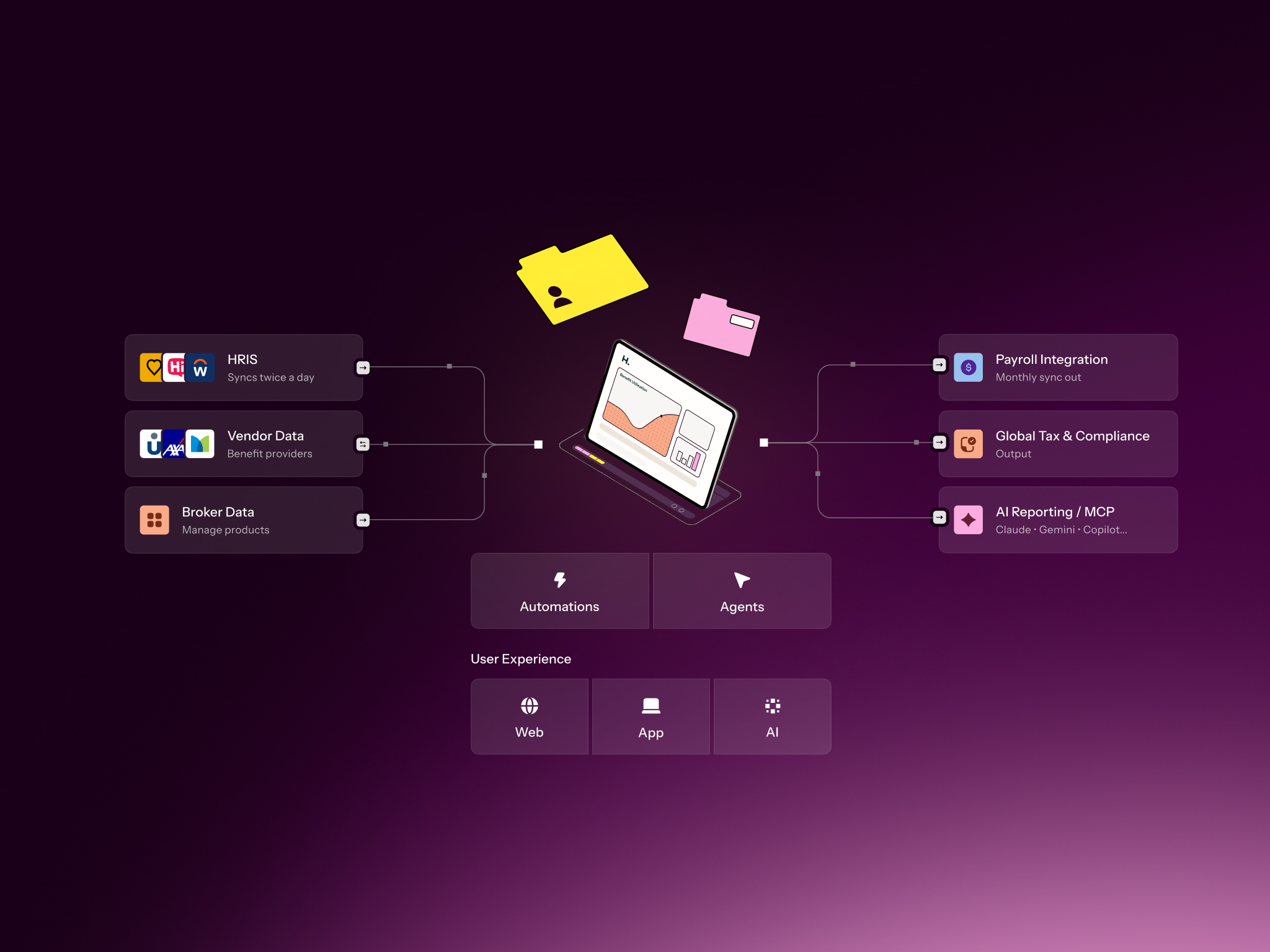
For each benefit, it builds the rules for who is eligible, what it costs, which choices depend on other choices and what happens when someone's details change. Happl's rules engine then keeps them running for everyone, in every country you operate in.
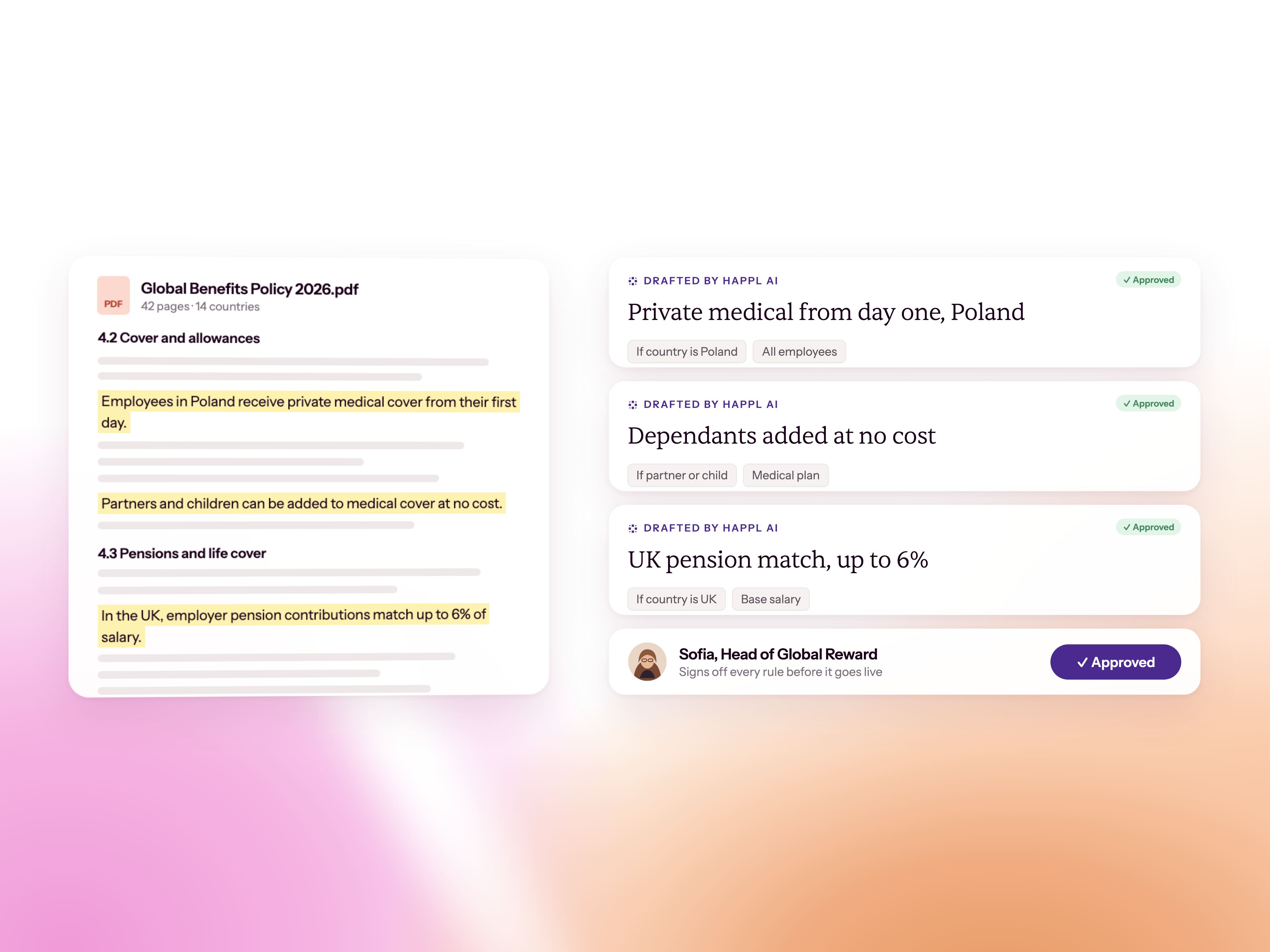
Happl AI drafts them from your policy documents, so you don't start from a blank screen. You can also open any benefit to see exactly how it's set up.
How do eligibility rules work in Happl?
Eligibility rules in Happl work from the data in your HR system, so they're always up to date.
When someone joins, changes grade or moves country, the rule gives the right answer from the new data. Each benefit's rules can use:
- Any HR field. Country, grade, FTE, tenure or a custom field from your HR system, not a preset list.
- Country and entity. Each benefit can have different rules in each market.
- Linked choices. One choice can limit another. Partner life cover can be capped by the employee's own cover, for example.
- Fallbacks and age ranges. If someone stops being eligible for a choice, they fall back to another. If someone is outside a provider's age range, they aren't shown that cover, so nobody sees a benefit they can't sign up for.
- Old plans. A plan you've closed can stay visible without being selectable, or be hidden.
- Data changes. A pay rise, a grade change or a move between entities recalculates eligibility and cost, and the change is logged.
What you can do once your rules are in Happl
Here's what having your rules in Happl means in practice, from your yearly renewal to the questions employees ask day to day.
Renewals
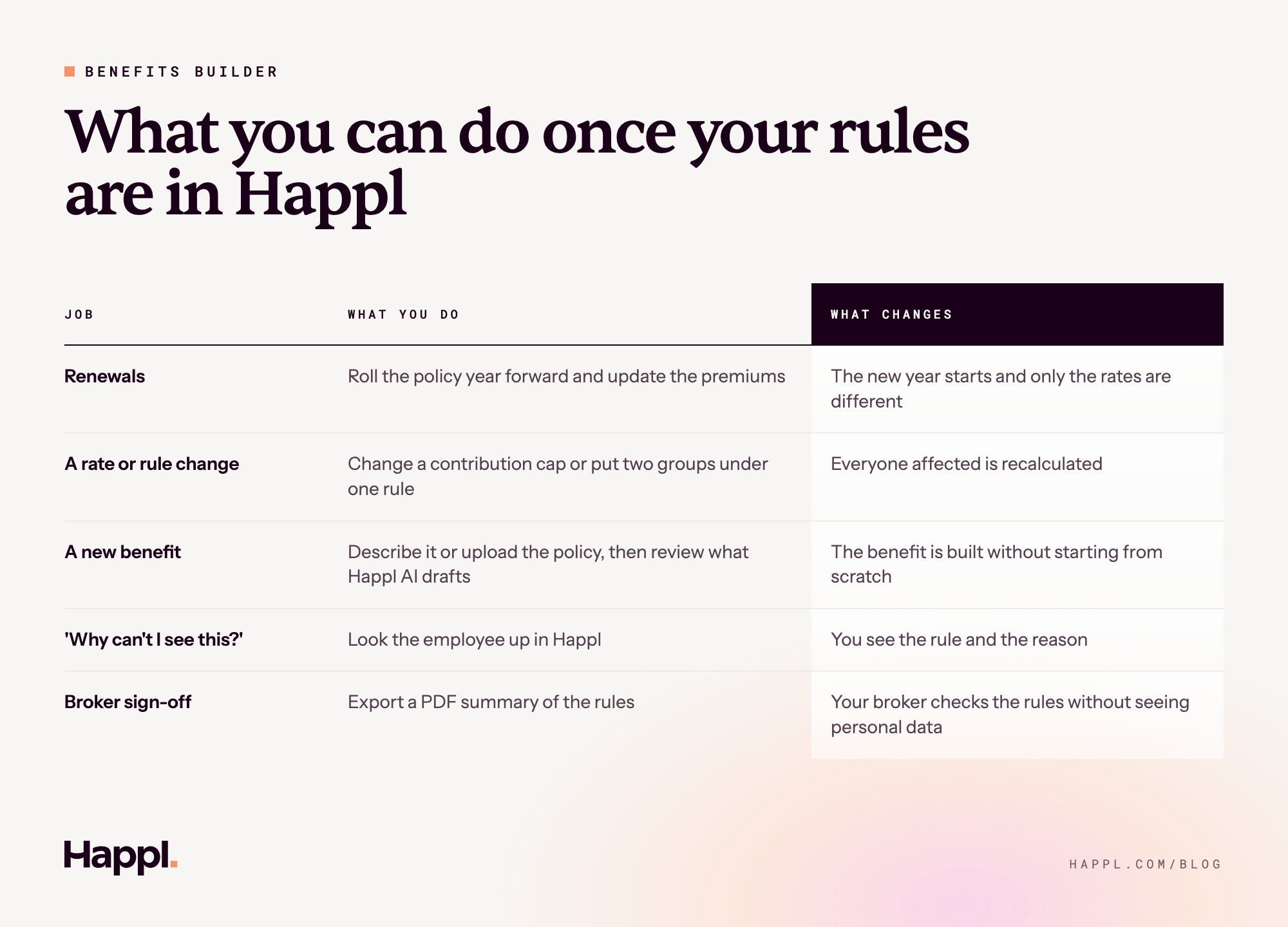
A policy year ends, a new one starts and often only the rates change. In Happl the benefit's rules stay as they are. The year rolls forward, the new premiums go in and nothing else has to be rebuilt.
A rate or rule change
Say you want to raise a contribution cap, or two groups of employees should now sit under one rule. You change the rule, and Happl recalculates everyone it affects. You don't rebuild the benefit or go through each person.
A new benefit
Describe the benefit in plain English, or upload a rate table or policy document, and Happl AI builds the rules and asks questions where it's unsure. Someone reviews them before anything goes live. Benefits are complex, but building them in the benefits builder doesn't need a developer.
'Why can't I see this?'
An employee asks why they can't see private medical. You look them up in Happl and see the rule next to their grade, so the answer takes one look.
Broker sign-off
Your broker or provider usually needs to confirm the rules match the policy. Happl exports a PDF summary of them, with no personal data in it, so they can sign off without getting access to the platform.
How do you check the rules are right?
You can read and check the rules in the platform itself. A person signs off anything Happl AI drafts.
Rules that live in a file somewhere else only get checked when someone has time. Rules that live in the platform can be checked whenever you want, and they're checked in several ways:
- Readable rules. Open a benefit and see how it's set up, rather than inferring it from who ends up with what.
- Human review. Anything Happl AI drafts is reviewed by a person before it goes live. A person stays answerable for the decision, whatever drafted it.
- The PDF summary. Your broker, provider or finance team can read the rules without opening Happl.
- Test the rules on anyone. Pick someone and see the outcome and why, before an employee asks.
- Missing data blocks enrolment. If a field a rule depends on is empty, such as no salary, the selection doesn't go through, so bad data doesn't reach payroll or providers.
- An audit trail. Every change to a member's benefits shows the values before and after, who changed them and when.
Does changing a benefit mean a change request?
In Happl, a change is an edit to a rule, not a request for someone to rebuild the benefit.
Changes are slow when the rules sit in a file outside the platform. Someone has to find the rule, work out who it touches, make the change by hand and check nobody was missed. In Happl the rule is in the platform, so the change is made there and you see who it affects. Everyone affected is recalculated and the change is logged. A change to a premium at renewal doesn't mean going back through every benefit.
That matters because a change should be a business decision, not an admin project. If you want to raise a cap or extend cover to a new group, the only questions should be whether it's right for your people and whether it works in the country it's for. When every change means a request and a wait, good changes get pushed back to renewal, or don't happen at all. With the rules in the platform, time stops being the reason a change doesn't happen.
What this means for your team
Benefit rules decide what every employee gets, so your team should be able to see them and trust them. In Happl, the benefits builder builds each benefit's rules from your policy documents and HR data, and the rules engine runs them for everyone.
So you can open any benefit and see how it's set up, answer an employee's question in one look and give your broker the rules to sign off. And when your policy changes at renewal or mid-year, the change is an edit to one rule, not a rebuild of the whole benefit.
FAQ
Can we change benefits ourselves, or does Happl?
Today, Happl's team makes changes with you in the benefits builder. You can see each rule and what a change affects, and the audit trail records it. Speak to your account manager about how changes work for your company.
Can rules use custom HR fields?
Yes. A rule can use any field from your HR system, standard or custom, such as FTE, grade, tenure or a custom field you've added. You aren't limited to a preset list.
What happens when someone changes role or leaves?
Their eligibility is recalculated from the new data. A change of role or grade updates what they're eligible for and what it costs, and a leaving date ends their benefits under each policy's rules.
Does Happl apply UK auto-enrolment rules?
Yes. Pensions in Happl calculate qualifying earnings for UK auto-enrolment, using the lower and upper earnings limits. During the statutory opt-out window, employees see a banner and their selection is locked. Admins can also show a policy banner on any benefit, such as pension auto-enrolment information.
Can AI build our benefit rules?
Happl AI drafts the rules from your policy documents, or from a benefit you describe in plain English, and asks questions where it needs more. A person reviews them before anything goes live.
Can old plans stay open to existing members?
A plan you've closed to new joiners can stay visible without being selectable, or be hidden entirely, so you can retire a plan without rewriting the rules around it.



Offer true flexibility to your team today
See how Happl runs spend allowances at scale, with eligibility, spend controls and payroll reporting automated across every market you operate in.