
Questions every rewards leader should be asking about AI and benefits


Benefits administration takes up more HR time than it should. Between syncing employee data, working out eligibility, producing reports for payroll and providers, and fielding questions from employees, it is a significant operational overhead for most teams.
Used well, AI removes most of that routine work. Here is where the gains are biggest and what good looks like in practice.
How should AI change the time my team spends on benefits?
Most benefits teams are spending time on work that should not need them. Employee data comes in from HR systems, eligibility needs to be calculated for each person, and at the end of every pay period reports need to go out to payroll and providers. For a lot of teams, each step still involves someone doing something manually.
Happl automates data in by connecting directly to HRIS platforms like Workday and HiBob. When an employee joins, changes role or gets a pay rise, that update flows into Happl automatically. The rules engine works out what each employee should see and what it costs them, based on their specific profile.
When someone joins, leaves or changes role, the admin happens without anyone touching it. HR teams intervene when something needs a decision, not because the process needs a person to keep it moving.
How can AI help employees actually understand and use their benefits?
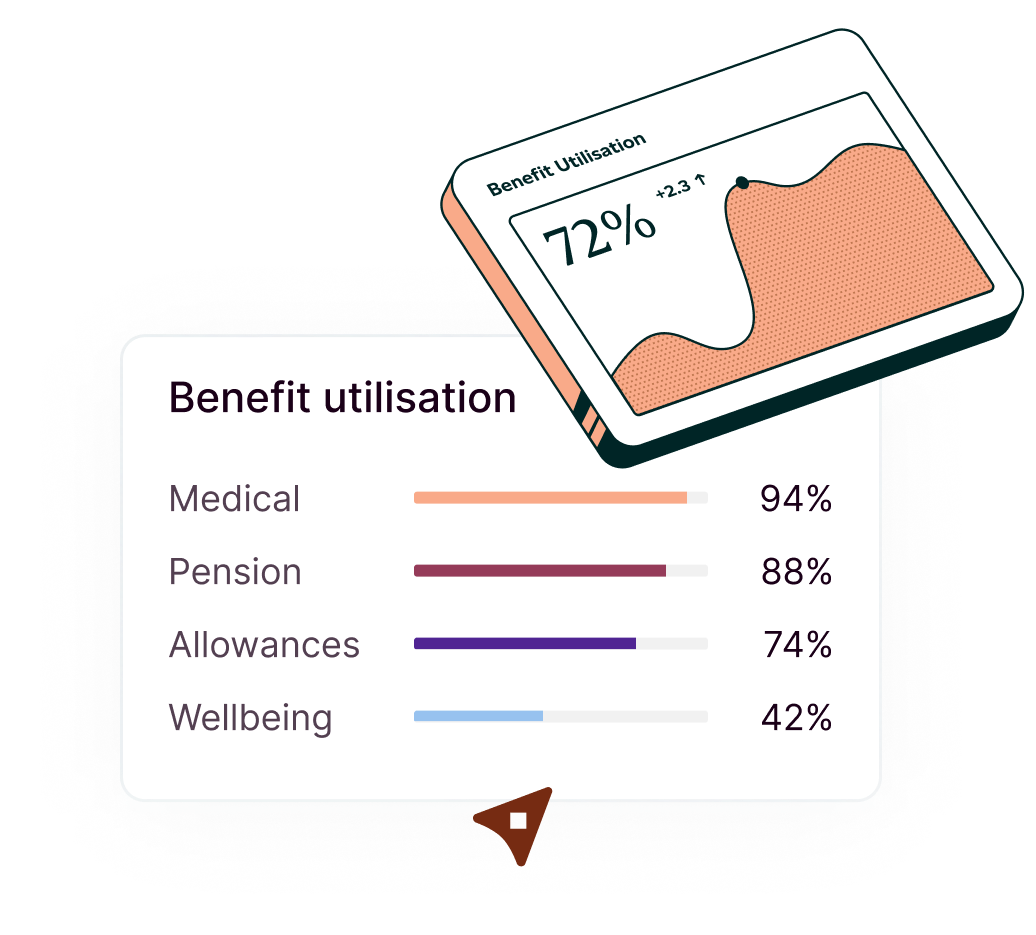
Low engagement with benefits is one of the most consistent frustrations rewards teams report. Employees enrol when they join and then largely forget what they signed up for until something goes wrong.
Better communications help, but they still rely on pushing information at employees and might not cover questions specific to someone's situation. With AI, employees can ask directly, in the moment they need an answer. What am I covered for? Can I add a dependent to my health insurance? What happens to my life assurance if I change roles?
Happl's AI handles exactly these questions. Employees ask about their entitlements in plain language and get answers based on their actual eligibility, not generic documentation. HR teams spend less time fielding routine questions. Employees engage with their benefits at the moments that actually matter to them.
Can AI handle the complexity of how our benefits work?
Benefits schemes are not simple. Eligibility varies by grade, role, country and length of service. What the company contributes, and what each employee pays, differs depending on who they are and what group they sit in. Companies that have been through acquisitions often carry legacy structures alongside the main scheme. The rules can run to dozens of variations.
The concern is that AI works for straightforward cases but breaks down with real complexity. If the underlying rules are not flexible enough to hold how a scheme actually works, AI gives wrong answers.
Happl's rules engine is built for this. Complex eligibility logic, rules about who pays what depending on someone's role or grade, different levels of cover for different groups, all of it is configurable without custom development every time something changes. Behind the scenes, it validates data against live employee records and can draft benefit policies in under a minute.
How does AI help HR teams manage benefits across a global workforce?
For HR teams at multinational companies, benefits have historically meant different processes in different countries. Different providers, different platforms, different data sitting in different places. All of this takes significant time to manage and mistakes are easy to make when dealing with multiple systems.
Happl runs on a single platform across 160 countries. Rather than separate setups per market, one platform holds the full complexity of a global benefits programme. The rules engine handles whatever the rules need to be in each location, different eligibility criteria, different provider structures, different local requirements, without HR teams having to manage those variations manually across separate systems.
Each person sees only what they are eligible for, based on their country, role and life stage, and it updates automatically as their circumstances change.
How can my benefits platform connect with the AI tools my team already uses?
HR and finance teams already do a lot of their work inside AI tools. Writing board packs, preparing CFO updates, handling enrolment queries. Every time they need a specific benefits figure, they have to log in to the benefits platform and find it themselves. Do it dozens of times a week and it adds up.
Benefits data should come to you, not the other way around.
Happl MCP is the first MCP for employee benefits. It connects live Happl data directly to the AI tools your organisation already uses and approves, including Microsoft Copilot, ChatGPT and Claude. Ask what you need without leaving the tool you are working in.
What is our total benefits spend in Germany this quarter? How many employees in Poland have private medical? What is enrolment completion across the UK workforce? Your AI pulls the answer from Happl in real time, ready to drop into whatever you are writing.
What changes when AI works for benefits
Benefits will always be complex. The question is whether that complexity sits with your team or with the platform handling it. Get that right, and HR teams are free to focus on what the function is actually for: building benefits programmes that work for people, and making sure employees understand and use what they have.
That is what Happl is built for. Book a demo to see how your team can save more time on your benefits admin.



Offer true flexibility to your team today
See how Happl runs spend allowances at scale, with eligibility, spend controls and payroll reporting automated across every market you operate in.